

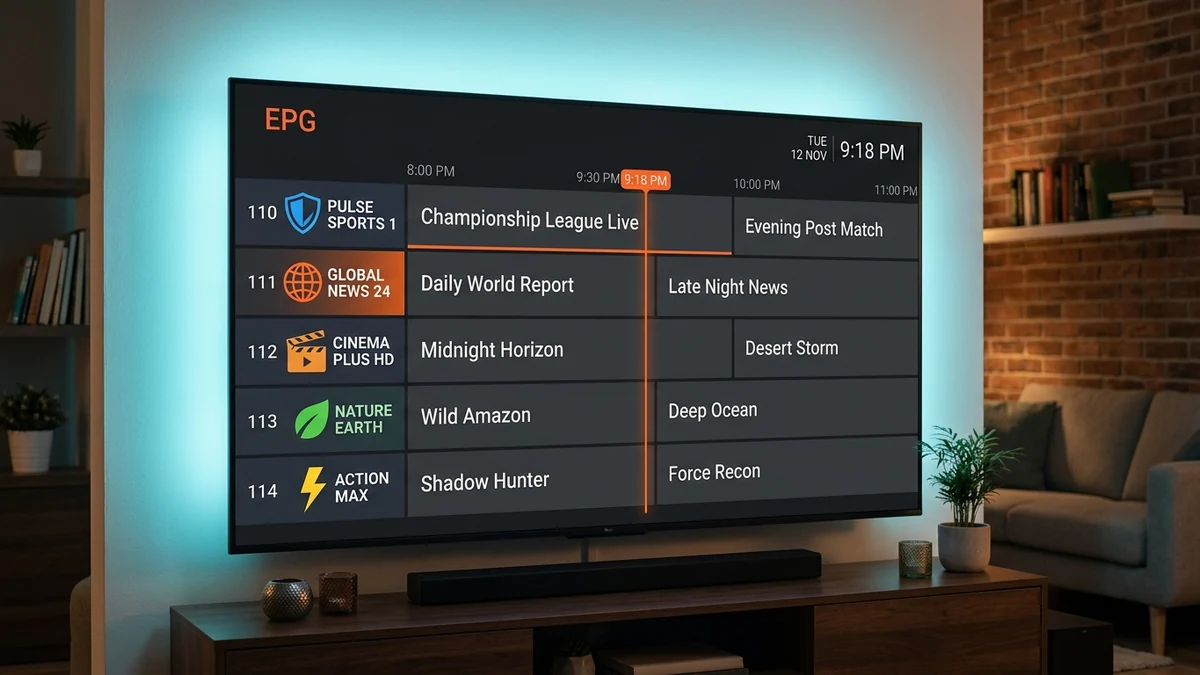
An Electronic Program Guide (EPG) transforms raw stream lists into an interactive, cable-like television experience. Without an EPG, you have only channel numbers and titles; with an EPG, you have full visibility into what is currently airing, upcoming show times, episode descriptions, and live progress indicators.
In this guide, we demystify how EPG data is formatted, how your player synchronizes with XMLTV files, and how to calibrate timezone offsets when program listings appear an hour or two off-schedule.
Table of Contents
1. What is XMLTV and How Does EPG Work?
XMLTV is an open XML-based file specification designed to describe television program listings. Inside an XMLTV file (often compressed as a .xml.gz archive to save network bandwidth), each program contains:
- The Channel ID indicating which linear feed the show belongs to.
- The Start and Stop Timestamps (formatted in UTC with timezone offset strings like
+0000). - The Program Title, category, description, and episode number.
2. How Channels Map to Schedule IDs
Inside your M3U playlist, each channel entry contains a tag such as tvg-id="SportsNet.us". When your player loads the XMLTV guide, it scans the file and links the schedule matching SportsNet.us to your active video stream.
When you use Xtream Codes API login in IPTVON, this mapping happens automatically in the background, eliminating the need to type custom XMLTV URLs manually.
3. How IPTVON Automatically Syncs EPG Data
Most modern players maintain a local SQLite database of your guide data. This database stores between 3 to 7 days of scheduled programs. To avoid stale information, we recommend setting your player's EPG Update Interval to Every 24 Hours.
4. How to Calibrate Timezone Shifts & Clock Offsets
If your EPG shows that an 8:00 PM evening news broadcast is scheduled for 6:00 PM or 9:00 PM, your device’s internal clock or player timezone offset is misaligned.
- Check your device’s system settings to verify that Automatic Date & Time is enabled via network time (NTP).
- Inside your player’s EPG Settings, look for Time Shift or Timezone Offset.
- Adjust the offset by
+1 hour,-1 hour, or your specific timezone differential until the guide aligns with your local clock.
5. Troubleshooting Missing or Blank Program Rows
If certain channels display "No Information" in the guide grid:
- Go to player Settings → EPG → Clear EPG Data.
- Click Update EPG Now to force a fresh manifest download.
- Ensure that your streaming device is connected to a fast internet connection during the initial 60-second parse.
Explore More Resources
Fire TV Stick Setup Guide →
Step-by-step setup instructions for Amazon Firestick devices.
How to Fix IPTV Buffering →
Learn how network routing and buffer sizes affect stability.